The Complete Guide to Jeep Navigation Systems GPS Operation and Map Updates explains how Jeep drivers use built-in navigation every day. In the United States, many Jeep owners rely on GPS for commuting, road trips, off-road travel, and finding new locations.
After working with vehicle technology systems, I have learned that most navigation problems are not hardware failures. They often come from old map data, missed software updates, poor settings, or simple user mistakes. Knowing how the system works makes troubleshooting much easier.

How Jeep Navigation Systems Work
A Jeep navigation system combines several technologies to guide drivers. The GPS receiver collects signals from satellites and calculates the vehicle location. The system then compares this location with stored map data to create routes.
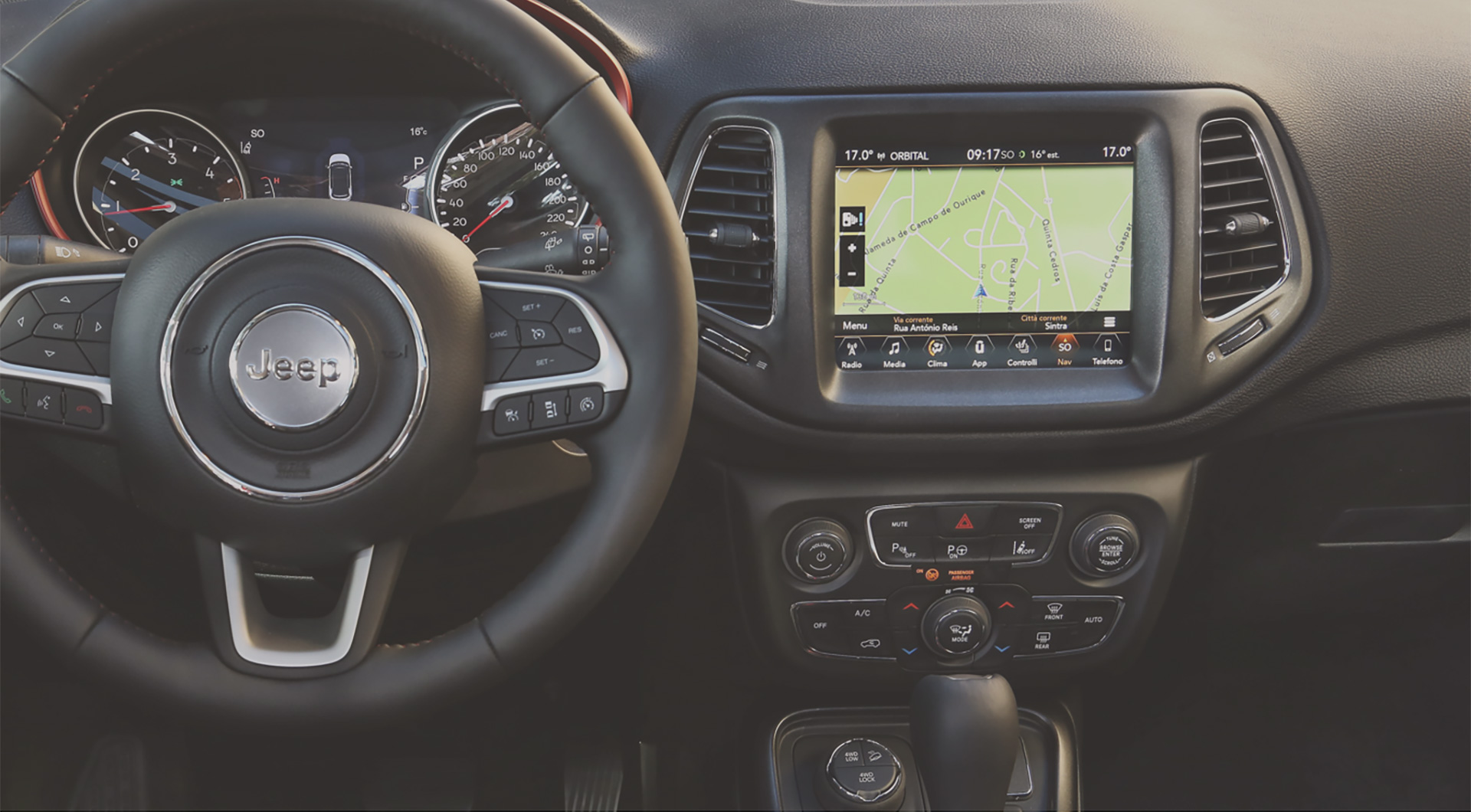
Modern Jeep models use Uconnect infotainment systems that connect navigation, entertainment, phone features, and vehicle settings. The navigation screen shows maps, directions, traffic details, and nearby locations.

- ✦ GPS Receiver
The GPS receiver identifies vehicle position by communicating with navigation satellites.
- ✦ Digital Map Database
Stored map files provide roads, addresses, businesses, and route information.
- ✦ Uconnect Software
The infotainment software controls navigation features and user interactions.
The Role of GPS Signals
GPS signals help the Jeep determine location, speed, and movement direction. The system works best when the vehicle has a clear view of the sky.
Buildings, tunnels, mountains, and weather conditions can sometimes reduce GPS accuracy. The system may need a short time after startup to find its position.
- ✦ Signal Recovery
Driving into an open area usually helps the GPS reconnect with satellites.
Understanding Jeep Uconnect Navigation Features
The Complete Guide to Jeep Navigation Systems GPS Operation and Map Updates includes understanding Uconnect features because they control many navigation functions. Depending on the Jeep model and year, features may include voice commands, live traffic, route planning, and smartphone integration.
Drivers can usually search destinations by address, business name, or category. Voice controls allow safer operation because drivers can keep their attention on the road.

- ✦ Turn-by-Turn Directions
The system provides visual and spoken instructions for upcoming turns.
- ✦ Traffic Information
Some Jeep systems provide traffic updates to help drivers avoid delays.
- ✦ Points of Interest
Navigation databases include restaurants, fuel stations, hotels, and other locations.
Voice Navigation Controls
Voice commands let drivers enter destinations without typing on the screen. This feature improves convenience during long trips.
Clear pronunciation and simple commands usually produce better results.
- ✦ Example Use
Drivers can request nearby fuel stations, restaurants, or specific addresses.
How to Use Jeep GPS Navigation for Daily Driving
Using Jeep navigation starts with entering a destination and selecting a preferred route. Drivers can choose faster routes, shorter routes, or routes based on personal preferences.
For American drivers, navigation is useful for highway travel, city driving, family trips, and outdoor adventures. Jeep owners who travel through rural areas also benefit from offline map information stored in the system.
- ✦ Enter Destination
Use the touchscreen or voice commands to enter an address or location.
- ✦ Review Route
Check estimated time, distance, and route choices before starting.
- ✦ Follow Guidance
Use voice prompts and map visuals while driving.
Jeep Navigation Map Updates Explained
The Complete Guide to Jeep Navigation Systems GPS Operation and Map Updates shows why keeping maps current matters. Roads change often because of new highways, construction, business changes, and updated traffic patterns.
A map update does not usually change the GPS hardware. Instead, it replaces older map files with newer navigation information. This helps the system recognize newer roads and locations.

- ✦ Updated Roads
New roads and changed road layouts become available after map updates.
- ✦ Improved Locations
Updated databases improve business and point-of-interest information.
Common Jeep Map Update Process
Most Jeep map updates require checking the current system version, downloading the correct update, and installing it through supported methods.
Drivers should follow official instructions because incorrect files can create navigation problems.
- ✦ Check Compatibility
Confirm that the update matches the Jeep model and navigation system version.
Common Jeep Navigation Problems and Solutions
Many Jeep navigation issues have simple solutions. A frozen map screen, wrong location, or missing routes may come from software problems instead of damaged components.
The Complete Guide to Jeep Navigation Systems GPS Operation and Map Updates recommends checking basic settings before replacing expensive parts.

- ✦ GPS Location Is Wrong
Restart the system and move the vehicle to an open area for better satellite reception.
- ✦ Navigation Screen Freezes
A system restart or software update may fix temporary glitches.
- ✦ Missing Roads
Old map data may need replacement through a navigation update.
When Professional Service May Be Needed
If navigation fails after software checks, the problem may involve the GPS antenna, wiring, or infotainment hardware.
A qualified technician can test system communication and identify the faulty component.
- ✦ Hardware Inspection
Technicians can test antennas, connectors, and infotainment modules.
Tips for Better Jeep Navigation Performance
Good navigation performance comes from regular maintenance and smart usage. Keeping software updated and learning system controls can prevent many frustrations.
Drivers should also avoid depending only on one navigation source during remote travel. Carrying backup information can help during weak signal areas.
- ✦ Update Regularly
Check for available map and software improvements when recommended.
- ✦ Keep System Clean
Remove unnecessary saved destinations and update settings when needed.
- ✦ Learn Controls
Practice voice commands and route settings before long trips.
Frequently Asked Questions about Complete Guide to Jeep Navigation Systems GPS Operation and Map Updates

Jeepexplorerr
Contributor