Quick answer: An eligible Jeep Wrangler can use the Jeep app for remote commands, vehicle information, location tools, and connected services. Its exact features depend on the vehicle and its active plan.
A modern Wrangler can pair a phone, show maps on its dashboard, share an internet connection, and receive commands from an owner who is miles away. Those abilities can look like one connected system from the driver’s seat, but they rely on different hardware and services. A large Uconnect screen does not establish that the Wrangler has app-based remote start. A working Wi-Fi hotspot does not establish that Vehicle Finder is active. Even two vehicles from the same model year can have different equipment.
This guide explains what each connection does, how to confirm your Wrangler’s actual features, and how to set them up. It also covers the common reasons a remote request fails, what changes when a trial ends, and what to check before buying a used Wrangler. Jeep’s public feature pages describe available capabilities across eligible vehicles; your vehicle’s VIN-linked account and owner’s manual provide the more specific answer. Jeep Uconnect overview; Jeep app overview.
What does “connected” mean on a Jeep Wrangler?
A connected Wrangler uses its in-vehicle systems and, for eligible services, a built-in cellular connection to exchange information. The word covers several separate experiences. You might connect your phone by Bluetooth for a call, project a navigation app onto the touchscreen, or send a lock command to a parked vehicle through the Jeep app. The last action needs a supported vehicle, an authorized account, and a communication path to the Wrangler.
Three names help separate these experiences. Uconnect is Jeep’s in-vehicle infotainment system. The Jeep app is a mobile interface for ownership information and available remote tools. Jeep Connect is the connected-services offering associated with eligible vehicles. Each plays a different role. Installing the phone app alone cannot add equipment missing from an older or differently configured Wrangler.
Bluetooth, Apple CarPlay, and Android Auto mainly link a phone to the cabin experience. They support compatible calls, messages, audio, and phone-based apps. The vehicle hotspot supplies internet access to nearby devices when equipped and subscribed. Remote commands and reports use connected services associated with the vehicle. Keeping these connections separate makes a confusing feature list much easier to read. See Jeep’s Uconnect overview and connected-services overview.
| Connection | Main purpose | Typical example | What it does not prove |
|---|---|---|---|
| Bluetooth or phone projection | Link a phone with the cabin | Play music or show a compatible map | That app-based remote start is available |
| Vehicle Wi-Fi hotspot | Provide internet to nearby devices | Connect a passenger’s tablet | That every Jeep Connect feature is active |
| Jeep app and connected services | Access eligible vehicle tools and data | Send a lock command or view Vehicle Finder | That a request will succeed without vehicle coverage |
| Key fob | Operate supported nearby vehicle functions | Lock doors or use equipped fob remote start | That the same function is included in the app |
Which remote features can a Wrangler have?
Eligible Wranglers may offer remote start, lock and unlock, horn and lights, Vehicle Finder, alerts, and vehicle information. Jeep lists these capabilities across its app and connected-service materials. Availability varies, so use the controls shown for your vehicle and check the associated plan before relying on any individual function. A generic marketing page cannot verify the equipment installed on a particular VIN. Jeep app features; Jeep plan comparison.
Remote engine start and stop
App-based remote start sends an engine request to a supported Wrangler through its connected service. That differs from a key-fob start command used near the vehicle. The app approach can be convenient when the Wrangler is parked farther away, provided both the account and vehicle connection work. The vehicle must also permit a start under its current operating conditions. A command reaching the vehicle is therefore different from the engine actually starting.
Remote start is particularly sensitive to model year and plan wording. A seller might say “remote start included” while referring only to the fob. Ask specifically whether the Jeep app shows an engine-start control for that VIN, whether it currently works, and whether continued access depends on a subscription. Never run a vehicle in an enclosed or poorly ventilated space. Consult your model-year owner’s manual for remote-start operating rules and vehicle-specific limits.
Remote lock and unlock
Remote lock and unlock let an authorized account send door commands to an eligible Wrangler. They help when you have left a parking area and are unsure whether you locked the doors. Wait for the app’s result before assuming a command succeeded. If the vehicle lacks cellular reception, it may not receive the request immediately. A displayed state can also be less current than a fresh confirmed response, so check the app’s timing and status.
Remote unlock deserves extra care on a shared vehicle. Anyone who has legitimate account access may have powerful controls. Review account access after a phone is lost, an authorized driver leaves a household, or the Wrangler changes ownership. If a command fails while you are physically at the vehicle, use the appropriate key or fob and deal with the connection issue afterward.
Horn, lights, and Vehicle Finder
Horn and lights can help identify an eligible Wrangler nearby; Vehicle Finder can help locate it in the app. These functions solve slightly different problems. A horn or light request is useful when the vehicle is somewhere in a crowded lot but still within sight or hearing. Vehicle Finder provides a location tool when that service is available and the vehicle can report the necessary information.
Neither function replaces a careful record of a remote trailhead or campsite. Location information can depend on coverage and service status. Record a parking waypoint on a separate map when traveling to an area with limited reception. Jeep identifies Vehicle Finder as an app feature and horn and lights as available remote operations in its app description and plan comparison.
Drive Alerts and theft-related alerts
Drive Alerts provide notifications for configured driving conditions on eligible vehicles and plans. Jeep’s service descriptions refer to alerts associated with speed, location, and time. A household might use them to monitor agreed use of a shared vehicle. Jeep also lists a vehicle theft alert among its connected-service features. An alert is a notification tool; it does not physically prevent theft or replace an insurance claim, police report, or other response.
Before switching on location-based alerts, discuss them with everyone who drives the Wrangler. Set a clear purpose and check the account permissions. For a used vehicle, confirm that a former owner no longer has access to location or alerts. These measures matter more than simply learning where the alert-setting menu is located.
Vehicle health reports and ownership tools
The app can put vehicle information and ownership tasks in one place. Jeep describes vehicle health reports, alerts, service scheduling, a digital glovebox, dealer tools, and vehicle information in its app and service materials. Depending on the Wrangler, those features may help an owner follow a maintenance issue, find documentation, or arrange an appointment. A report is a useful prompt to inspect a concern; it is not a complete mechanical diagnosis.
Look at both the warning in the vehicle and the information in the app when something needs attention. The dashboard may show a current message while an app report follows its own update schedule. If the Wrangler behaves abnormally or shows a serious warning, use the vehicle’s instructions and appropriate service support rather than waiting for an app report to refresh.
Send & Go and connected navigation
Send & Go lets an eligible owner send a destination toward a compatible in-vehicle navigation system. It can save typing after entering the Wrangler. It is distinct from opening a map on a phone and projecting it through CarPlay or Android Auto. Jeep also describes connected navigation options in its service packages. Navigation equipment and subscriptions vary, so verify which system your Wrangler actually has before expecting a destination sent from the app to appear on its screen.
On trips away from coverage, prepare an offline route or another navigation backup. A connected map feature may need data for searches or live information, while a phone projection setup may depend on the phone and its own downloaded maps. Test the navigation method you plan to use before leaving an area with reliable service.

How do Jeep Connect plans and trials work?
Jeep’s current US materials divide eligible connected services between Connect One and optional Connect Wi-Fi Plus. Connect One covers a set of core features; Wi-Fi Plus adds paid capabilities such as an in-vehicle hotspot and additional connected tools. Jeep advertises 10 years of Connect One on eligible purchases after enrollment. Its current app page describes a three-month Wi-Fi Plus welcome trial subject to the stated activation terms. Always read the plan displayed for your own Wrangler because equipment and model-year differences determine eligibility. Jeep Connect packages; Jeep app activation.
Plan descriptions can overlap in broad marketing copy. For example, Jeep may describe “remote vehicle operations” in a paid plan while listing a narrower set of remote functions in Connect One. Read the exact feature names attached to the VIN, and distinguish remote engine start from horn and lights or other advanced operations. A current plan page is more useful than an old forum answer about what a different Wrangler included years ago.
| Question | What to verify | Why it matters |
|---|---|---|
| Is the service included? | VIN-linked plan and equipment list | A brand-wide feature list may include vehicles with different hardware. |
| Is there a trial? | Enrollment date, offer conditions, and end date | A feature that works today may require payment later. |
| What ends with the trial? | Named features in the plan comparison | Some core app tools may remain while paid functions expire. |
| Does the hotspot cost extra? | Current data plan and terms | Passenger internet service is distinct from a basic app account. |
| Will the plan work everywhere? | Service region and cellular coverage | Subscription status cannot create signal where none exists. |
What changed for 2027 model-year vehicles?
Jeep announced that app-based remote engine start and stop would be added to standard Connect One for 2027 model-year US vehicles. The announcement was dated July 16, 2026. It does not establish that the same feature becomes free on an older Wrangler. This distinction matters when an owner reads a current Jeep page alongside an earlier model’s paperwork. The safest comparison uses the exact model year and the service list in the account. Jeep’s 2027 Connect One announcement.
Do not use screen size alone to infer the plan. Infotainment hardware, connected-service enrollment, and subscription entitlement are separate questions. A 2026 Wrangler with a modern screen can still have different included remote services from a 2027 vehicle. The same caution applies when comparing older Wrangler generations with current advertisements.
What does the Wrangler Wi-Fi hotspot do?
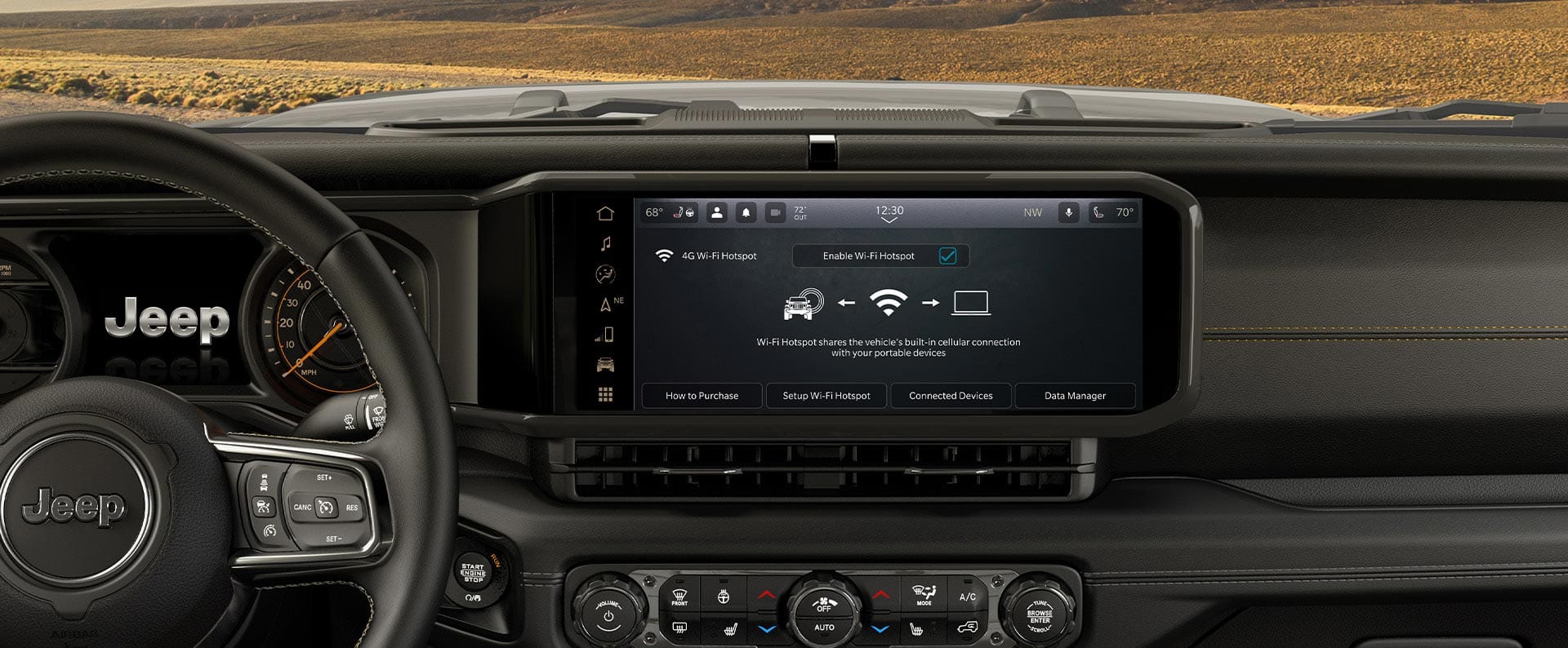
An equipped Wrangler’s hotspot provides internet access to nearby devices through a supported data plan. Jeep advertises connection for up to eight devices with eligible Wi-Fi Plus service. Passengers might connect phones or tablets during a road trip. The hotspot’s data connection comes from cellular service; it will not supply internet in an area where the vehicle cannot connect to the relevant network. Check the plan’s current terms for speed, coverage, and billing. Jeep Connect Wi-Fi Plus.
A phone attached to the hotspot and an app connected remotely to the Wrangler are doing different things. Hotspot access serves the devices near the vehicle. A remote command lets an authorized account ask the vehicle to perform a supported action. One service does not automatically activate the other. If a tablet says “connected, no internet,” check the hotspot plan and network coverage. If remote lock fails, check remote-service eligibility, account status, vehicle conditions, and coverage.
How do you activate Wrangler connected features?
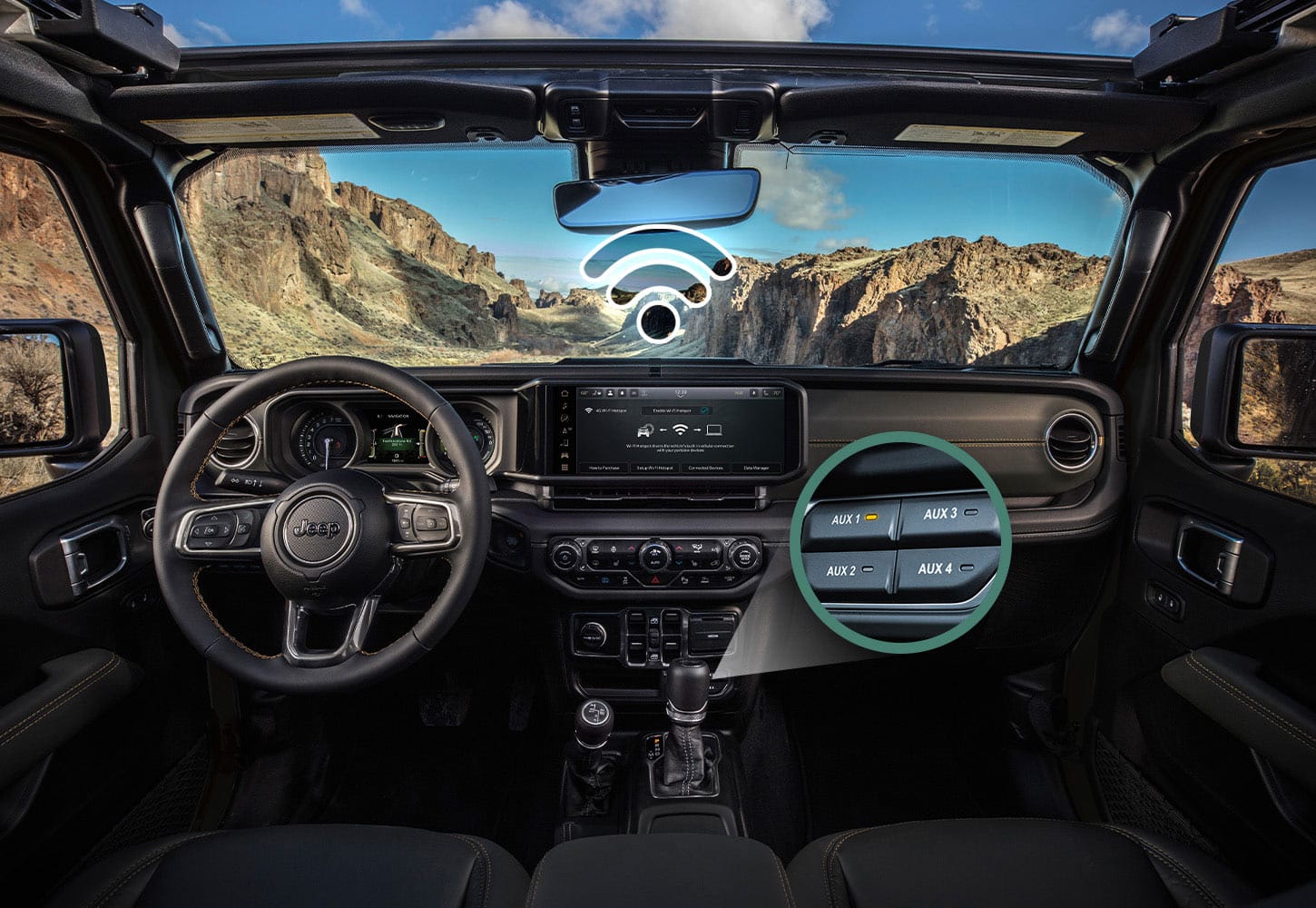
Start with the correct Jeep account and the Wrangler’s VIN, then complete the enrollment steps offered for that vehicle. The sequence below works as a practical checklist, although screen labels and verification steps can change. Complete the process while parked in an area with good reception. You may need access to both the phone and vehicle screen during setup.
- Identify the vehicle. Find the model year and VIN in the vehicle documents or appropriate vehicle label. Confirm which Uconnect system and factory options are present.
- Install the official Jeep app. Create or sign in to the account you intend to use as the owner. Avoid sharing credentials among unrelated drivers.
- Add the Wrangler. Enter or scan the VIN and follow the ownership verification shown in the app. If the vehicle is already linked to another person, resolve that issue through the authorized transfer process.
- Review service eligibility. Check which connected tools appear, which plan is active, and whether a welcome trial is available. Note any displayed expiration date.
- Finish vehicle-side activation. If prompted, follow the Uconnect screen’s sign-in or enrollment instructions. Jeep’s current welcome-trial instructions direct eligible users to Apps, AppMarket, and the Digital Store, then a QR-code sign-in.
- Test one feature at a time. Try an available nonurgent command while the vehicle is parked in an area with coverage. Confirm its result before treating setup as complete.
Jeep’s app page describes the Digital Store QR-code steps for its current Wi-Fi Plus welcome trial. A different model year or infotainment system may show a different screen, so use the instructions presented by the vehicle rather than forcing a sequence that does not match. Official Jeep app setup information.
What is different when you buy a used Wrangler?
A used Wrangler needs a clean ownership handoff as well as working hardware. Ask the seller to show the connected features operating on the vehicle, not merely the app installed on a phone. Confirm whether a remote-start claim refers to the fob or the Jeep app. Record which subscriptions are active and whether a trial or seller-paid plan will end soon after the purchase.
After purchase, connect the VIN to your own account and resolve any previous-owner link. Jeep’s connected-service terms explain that someone with access to a linked account may be able to locate a vehicle, execute remote commands, and access reports. This makes account transfer a practical security task. If enrollment fails because the vehicle is still attached to another account, use Jeep support or the selling dealer; do not borrow the prior owner’s login. Jeep connected-services terms.
Will connected features work on remote trails?
They work only where the necessary communication is available. Jeep says its connected services require cellular coverage. A Wrangler parked deep in a valley, inside some structures, or beyond network reach may not receive an app command or provide a fresh location. Your phone’s signal is a separate factor: having internet on the phone does not prove that the parked Wrangler has service. Jeep Connect FAQ.
“Connected off the grid” is useful marketing language, but an owner should still plan for actual network limits. Before a trail trip, save a map for offline use, record a trailhead location outside Vehicle Finder, and tell someone your route when appropriate. Check a route with the navigation tools you intend to use while service is available. If a remote feature fails in a known dead zone, test it again after the Wrangler returns to coverage before concluding the hardware is defective.
Coverage may also change during a single journey. A hotspot can be useful on the highway and unavailable farther along the route. Download media or maps before relying on them in remote areas. Jeep’s general feature description should not be read as a guarantee of service at a particular campsite or trail.
How do you protect the account and vehicle data?
Protect the account because it can expose vehicle location and enable eligible remote actions. Jeep’s terms state that a person with access to a linked connected-services account may be able to locate the vehicle, send commands, and see reports, including while another person is using it. The terms also address informing drivers and passengers before using location and reporting features. Read them alongside the current account permissions for your Wrangler. Jeep connected-services terms.
- Use a unique, strong password for the owner account.
- Review access after losing or replacing a phone.
- Remove outdated access when a driver no longer uses the vehicle.
- Complete the account transfer when selling or buying the Wrangler.
- Discuss Vehicle Finder and Drive Alerts with other regular drivers.
- Inspect the vehicle’s actual lock state if an app command reports an error.
These steps address ordinary account control. They do not require you to disable useful features. If you receive an unexpected account notice or see an unfamiliar vehicle in the app, use Jeep’s official account and support channels to investigate. A shared password may be convenient, but it also makes it difficult to know who has access after circumstances change.
Why is a Jeep Wrangler remote feature not working?
The usual diagnostic path is to check eligibility, enrollment, plan status, cellular coverage, and vehicle conditions in that order. A remote-start failure and an app sign-in failure are different problems. Separating them can save a visit to the dealership when the cause is an expired trial or a vehicle parked without reception.
| Symptom | First checks | Next step if it continues |
|---|---|---|
| Feature is missing from the app | Correct VIN, account, factory equipment, model year, and plan | Ask Jeep support to confirm the vehicle’s eligibility. |
| App cannot add the Wrangler | VIN entry and ownership verification | Resolve a previous-owner account link through authorized support. |
| Several remote commands fail | Active service, phone connectivity, and vehicle cellular coverage | Record errors and contact connected-services support. |
| Only remote start fails | Vehicle warnings, remote-start conditions, and engine-start entitlement | Consult the exact model-year manual and arrange diagnosis if needed. |
| Hotspot connects without internet | Hotspot data plan and vehicle cellular coverage | Check plan status and service support. |
| Vehicle location seems old | Timestamp, service status, and vehicle coverage | Try again where coverage is reliable. |
Step 1: Check what the vehicle should support
Confirm the feature belongs to this Wrangler before treating its absence as a fault. If the app contains multiple vehicles, select the correct one. Compare its VIN with the paperwork. Review the plan and options associated with it. A person reading a 2027 Connect One announcement may incorrectly expect identical access on a 2025 or 2026 Wrangler. Correcting that assumption is often faster than changing app settings.
Step 2: Check both ends of the connection
The phone and the Wrangler each need a working path for a remote request. Check that the phone has internet, then consider where the vehicle is parked. A vehicle in a cellular dead zone may not receive the command even when your phone has excellent Wi-Fi. Test again after moving the Wrangler to reliable coverage. Avoid sending repeated start or unlock commands without checking whether an earlier request actually completed.
Step 3: Read the vehicle’s messages
A rejected remote command can reflect a vehicle condition. Inspect the instrument cluster and app for warnings. If remote start alone fails, consult the remote-start section in the manual for the exact model year and equipment. Do not bypass a warning or assume an app update will resolve a vehicle condition. When the Wrangler also shows a mechanical or electrical problem, address that problem directly.
Step 4: Check app and account status
An expired sign-in session or incomplete enrollment can interrupt connected functions. Reopen the official app, confirm the selected vehicle, and review its service status. Install an available app update through your phone’s normal app store if needed. Follow the account’s verification prompts. If the issue started after buying the vehicle or changing phones, revisit the ownership and sign-in steps before considering vehicle hardware.
Step 5: Give support enough detail
A precise problem report helps distinguish coverage, account, entitlement, and vehicle faults. Note the VIN, model year, Uconnect system, feature name, time and location of the failed attempt, exact error message, and whether other connected functions work. Explain what you have already checked. This evidence is more useful than saying the Jeep app “doesn’t work,” because one failed feature can have a different cause from a complete connectivity outage.
Can an update add a missing connected feature?
A software update can change supported functions, but it cannot establish that every advertised feature is available on a Wrangler that lacks the necessary equipment or entitlement. Jeep lists over-the-air updates among its connected capabilities. A software update and an active service plan solve different problems. Check the VIN’s supported equipment and Jeep’s applicable update information before expecting an update to enable app-based remote start or connected navigation. Jeep connected features.
Allow a legitimate update to complete as directed by the vehicle. If an app problem begins immediately afterward, record the update timing and error for support. Avoid using unofficial instructions for another Wrangler year to force a reset or change a vehicle setting. Exact procedures can differ between systems, and a general connectivity article cannot safely replace the relevant owner’s manual.
What should you verify before buying a Wrangler for its connected features?
Test the features you value on the exact vehicle, then check what they will cost after any trial. Photos of a touchscreen and a broad trim description are insufficient evidence of an active service. Bring a short checklist to the dealer or private sale so you can distinguish a feature that is installed, one that is included in a plan, and one that merely appears in advertising for some Wranglers.
- Record the VIN, model year, trim, and relevant factory equipment.
- Ask for the exact Uconnect system and navigation capability.
- Determine whether remote start uses the key fob, Jeep app, or both.
- Check the app’s VIN-linked list of connected services.
- Identify current plans, trial end dates, and future subscription requirements.
- Test an important remote operation in a location with coverage.
- Verify that ownership can transfer to your own account.
- Check that no previous owner retains access after the transaction.
These checks are also useful when comparing multiple new vehicles. A feature might be available on a model line yet absent from a specific configuration. If the seller cannot demonstrate a claimed remote function, treat it as unverified until Jeep’s VIN-specific information confirms it.
Frequently asked questions
Can every Jeep Wrangler start from the Jeep app?
No. App-based remote start requires the appropriate vehicle equipment and connected-service eligibility. Its inclusion in a standard plan also depends on the model year; Jeep specifically announced a Connect One remote-start change for 2027 model-year vehicles. Check the service list linked to your VIN. Jeep’s announcement.
Does a remote-start key fob prove that app remote start is included?
No. The fob and app send commands through different paths. Ask to see the app control and a successful test on that vehicle. Also check whether app access requires a continuing subscription.
Is the Jeep app free to download?
The app can be downloaded, but some of its connected features require an eligible service or paid plan. Account access, vehicle equipment, and plan terms determine what the app can actually do with a Wrangler. Review the plan shown for your VIN. Jeep app overview.
Does my Wrangler need a hotspot subscription to use remote lock?
A hotspot data plan and remote-lock entitlement are separate checks. The hotspot gives passengers internet access; remote lock requires support through the vehicle’s connected-service package. Consult your vehicle’s plan rather than assuming one subscription includes every function.
Can I use Vehicle Finder when the Wrangler is outside cellular coverage?
Do not rely on a fresh remote location without the required connection. Jeep says connected services operate where cellular coverage is available. Save an independent parking location when traveling beyond dependable service. Jeep Connect FAQ.
How many devices can connect to a supported hotspot?
Jeep advertises support for up to eight devices on its eligible hotspot offering. A data plan and cellular coverage are required. Check current terms for your Wrangler before purchasing service. Jeep plan overview.
What happens when a Wi-Fi Plus trial expires?
Features tied to the trial can require payment to continue. Other eligible functions may remain under their separate terms. The account’s VIN-linked plan and expiration date give the most useful answer for a specific Wrangler.
Can a previous owner track a used Wrangler?
An unresolved account link deserves attention because linked account access can expose location and remote functions. Complete the ownership transfer and resolve previous access through Jeep’s authorized channels. Do not leave the vehicle attached to an unknown account. Connected-services terms.
Will Apple CarPlay or Android Auto activate Jeep Connect?
No. Phone projection displays compatible phone features through the in-vehicle system. Jeep Connect eligibility requires its own supported vehicle services and enrollment. A Wrangler can support one without having every capability of the other.
What is the fastest way to identify my Wrangler’s actual features?
Check the VIN-linked Jeep account, installed vehicle equipment, and exact model-year owner’s manual together. Then test the feature in an area with coverage. This combination resolves most confusion caused by broad feature lists or advice about another Wrangler year.
Final takeaways
The most reliable source for Wrangler connectivity is the combination of its VIN, equipment, active plan, and current connection. Uconnect, phone projection, passenger Wi-Fi, and Jeep Connect have different roles. A working touchscreen or hotspot does not guarantee app-based start, and a paid plan cannot overcome a lack of vehicle cellular coverage. Check the account before buying or troubleshooting, and complete an account handoff whenever ownership changes.
Jeep’s packages and model-year inclusions can change. The 2027 Connect One remote-start announcement is a good example of why a recent article must still qualify older vehicles carefully. Use the linked official Jeep resources for current US terms, and use the vehicle-specific manual for operating restrictions and instructions.